Using AI for studying:
It’s easy to fall into a trap.
Constantly asking AI for:
Summaries.
Then more summaries.
Then organizing key points again.
In the end, you have read a lot:
Content that seems clear.
But you still don’t know:
If you really understand it.
So today:
Don’t create yet another summary.
Learn just one action:
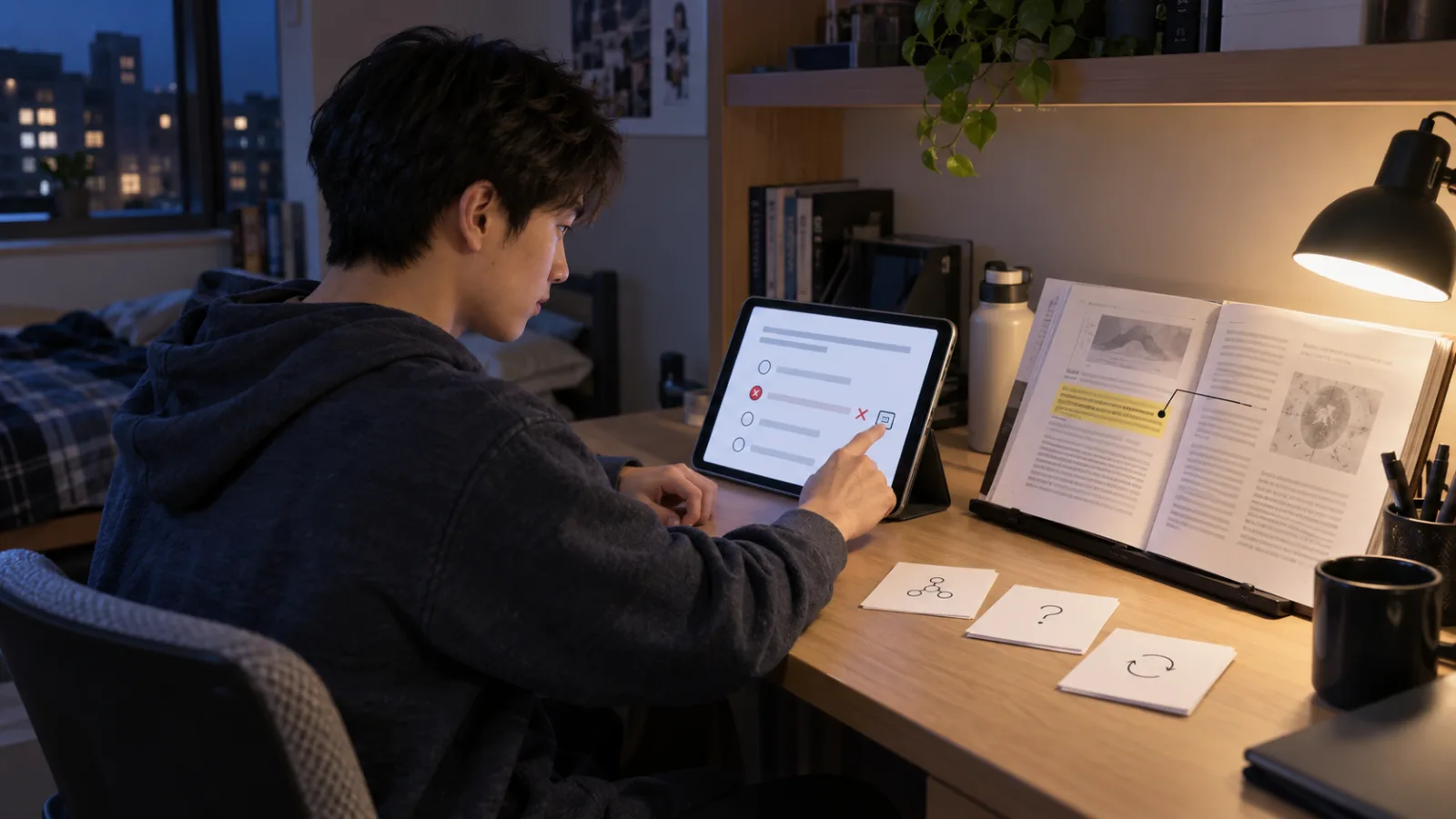
Take the Quiz first.
After answering wrong:
Go back to the original text.
Step 1: Make sure Student Space only contains materials you really need to study now
For example:
You have an exam next week on:
Psychology Chapters 4 to 6.
Then load:
The lecture PDFs for those three chapters.
The teacher’s assigned readings.
Your own class notes.
Don’t mix in everything just because Student Spaces allows many sources.
Don’t throw in:
The whole semester.
All supplementary articles.
Materials from other subjects.
Your goal today is only:
The exam scope.
Step 2: Create a Quiz directly
Don’t say first:
"Summarize all 80 pages."
Choose instead:
Quiz.
Let Student Spaces:
Generate practice questions from your sources.
Adobe officially defines the purpose of quizzes very clearly:
It is to:
Check what you truly understand and what still needs review.
So today it’s not:
Read until you think you understand.
But:
Test first.
Don’t peek at the materials while answering questions
When you see a question,
Answer it yourself first.
Even if unsure,
Make a choice.
Because if you simultaneously look at the source text,
While doing the quiz,
You’re testing how fast you find the answer,
Not whether you actually remember it.
What you really need to know is:
If you were tested now, would you get it right?
Step 3: After finishing, don’t reread all the materials immediately
Suppose you have:
10 questions.
You got:
7 right.
3 wrong.
The least efficient way is:
Because you missed 3 questions,
Start reading all 80 pages from the beginning again.
What you should do today is:
Focus only on:
Those three questions.
First determine: Are you "not knowing" or "misreading"?
For example, one question:
You actually knew the answer,
But read the question incorrectly.
This kind of mistake:
Doesn’t require rereading the whole chapter.
Another question:
After reading the answer,
You still don’t understand:
Why it’s B.
This is the real:
Knowledge Gap.
Only address:
Knowledge Gaps.
Step 4: Click the Citation link next to wrong answers
Student Spaces quizzes:
Can link the answer back to the:
Supporting Source.
Clicking Citation,
You can view:
The part of the original file that supports that answer.
If you need more context,
Open the full source.
This step:
Is actually the most important part today.
Don’t just look at AI showing "The correct answer is B"
If you only see:
B.
And memorize:
B.
When the question is asked in a slightly different way next time,
You may get it wrong again.
What you really want to see is:
What exactly does the original text explain?
Under what conditions:
Is this answer valid?
Are there exceptions?
What else is said in the surrounding paragraphs?
This is how you fill in:
Understanding gaps.
If the confusion is between "short-term memory" and "working memory"
AI tells you:
The answer is:
Working memory.
Don’t just memorize the answer.
Click back to Citation.
See how the original material:
Differentiates the two concepts,
For example:
Their:
Definitions.
Functions.
Limitations.
Use cases.
Then:
Close the answer,
Explain in your own words again:
"What exactly is the difference between these two?"
If you can explain it,
That’s closer to:
Really understanding it.
Step 5: Use flashcards to recall the unfamiliar concepts again
Student Spaces:
From the same sources,
Can also generate:
Flashcards.
Adobe’s positioning of the two tools is clear.
Quiz:
Used for:
Checking understanding.
Flashcards:
Used for:
Practicing recall.
The sequence can be:
Quiz finds the gaps.
Citation fills the gaps.
Flashcards confirm the gaps are filled.
No need to create hundreds of flashcards for all materials
You already know:
Points you understand,
And points you don’t.
So focus your effort on:
The unfamiliar concepts.
For example, if you got wrong 3 topics in the quiz,
You can request:
A set of focused flashcards just on those 3 topics.
The things that really need repeated practice:
Are not the 70% you already know,
But the 30% you keep missing.
Don’t immediately flip the flashcard answer upon seeing the question
Adobe’s official procedure is:
Read the question first,
Try to recall your answer.
Then show the correct answer.
Finally:
Compare:
Your original answer,
And the correct one.
Where are the differences?
This moment of:
Active recall
Is very important.
Otherwise flashcards just become another way to passively scroll content.
If you guess the right answer, but don’t really know it, treat it as “needs review” too
Don’t just look at:
Your score.
For example, a multiple-choice question with 4 options:
You guessed the right answer,
But internally you know:
You don’t understand it.
Consider it wrong.
The goal of studying:
Is not:
To make scores look good on the dashboard.
But to make sure:
In the actual exam,
You don’t have to guess.
Citation is not a "guarantee of correctness" either
This you must know.
Student Spaces showing Citations:
Means:
You can see:
Which source segment AI’s answer is based on.
It doesn’t mean:
The AI’s summary,
Conclusions,
Or explanations of that source are 100% accurate or flawless.
So:
The greatest value of a Citation is not to:
Let you avoid reading the original text.
On the contrary,
It’s to:
Show you exactly where to go back and read.
If you still don’t understand after reading the Citation, check a little more context around it
AI might extract only:
Two or three sentences that support the answer.
But learning sometimes requires:
Reading the previous paragraph,
The next paragraph,
Looking at charts,
Examples,
Definitions.
Together.
So don’t treat the highlighted citation as:
The only content you need to read.
It’s an:
Entrance,
Not the full context.
This is why today’s method is more practical than "constant summary reading"
The problem with summaries is:
You easily:
See a sentence,
And feel:
"Yeah, I know that."
This is called:
Recognition.
But in real exams,
You have to:
Recall it yourself.
This is called:
Recall.
The two are very different.
Quizzes:
Force you to:
Make a judgment before the answer is shown.
If wrong:
You know exactly where your gaps are.
So you can run this small cycle for each review session
Round 1:
Take a quiz of 10 questions.
Round 2:
Focus on wrong or uncertain questions.
Round 3:
Click citations.
Go back to original texts.
Round 4:
Create flashcards for the concepts you’re least familiar with.
Round 5:
After some time, test again.
No need to:
Redo the entire material.
If you only have 30 minutes today
You can divide it like this.
The first 10 minutes:
Take the quiz.
Next 10 minutes:
Check citation for wrong questions.
The last 10 minutes:
Practice the unfamiliar concepts.
This is just a simple example of time management.
It’s not:
A fixed 10/10/10 for everyone.
The real principle is:
Don’t evenly divide time between what you already know and what you don’t.
If you got only one question wrong out of 10
Great.
Today, the most valuable material to review is:
Exactly that one question.
Don’t waste time:
Asking AI to summarize the whole chapter again just because you have spare time.
Making sure you understand that one weak point
May actually be:
More valuable.
If you got 8 questions wrong out of 10
That’s also a useful signal.
It means:
You might not be ready to:
Keep cycling through quizzes repeatedly.
Instead, go back to the:
Study Guide.
Rebuild the basic concepts.
Then try the next round of quizzes.
So quizzes are not just:
Testing tools.
They can also tell you:
Whether to keep testing or go back and study.
This is why Student Spaces is more valuable than simply "letting AI summarize for me"
Using the same set of materials,
You can:
Learn first.
Test later.
Find weaknesses.
Return to the source.
Practice again.
No need to:
Switch apps all the time.
Or keep uploading files repeatedly.
But what really makes it useful:
Is if you:
Arrange the functions into:
A learning cycle.
Adobe’s own official tutorials follow the same direction
Adobe’s Exam Prep tutorials:
Don’t just have students:
Generate one summary and stop.
Instead:
Put materials into Student Space.
Use:
Study Guide.
Flashcards.
Quiz.
Then go back to:
Content not fully understood.
That is:
Learn → Test → Review.
Today, we just compressed this into the simplest version to get started.
Today you don’t even need to touch Podcast or Video Summary
Those features:
Can be used later.
For now, just focus on:
Three things.
Quiz.
Citation.
Flashcards.
If these three can help you quickly find where:
"I really don’t understand here,"
Student Spaces will already start to bring value.
Finally, just remember one sentence
Don’t ask:
"Has AI finished summarizing for me?"
Instead ask:
"What exactly can’t I answer right now?"
Take the quiz.
Find the wrong questions.
Click the citation.
Go back to the original text.
Test again.
The best role for AI:
Is not to:
Read through all your materials for you.
But to help you:
Find more quickly:
Which pages are worth reading one more time yourself.
Today, improve a little together with AI.
Learn one AI tip every day.
Save a little time every day.
Improve your skills a bit each day.
SasaDaily, growing with you.
Recommended Reading
AI Quick Q&A|2026/08/31: Does Gemini Notebook cite entire paragraphs exactly as the author intended?