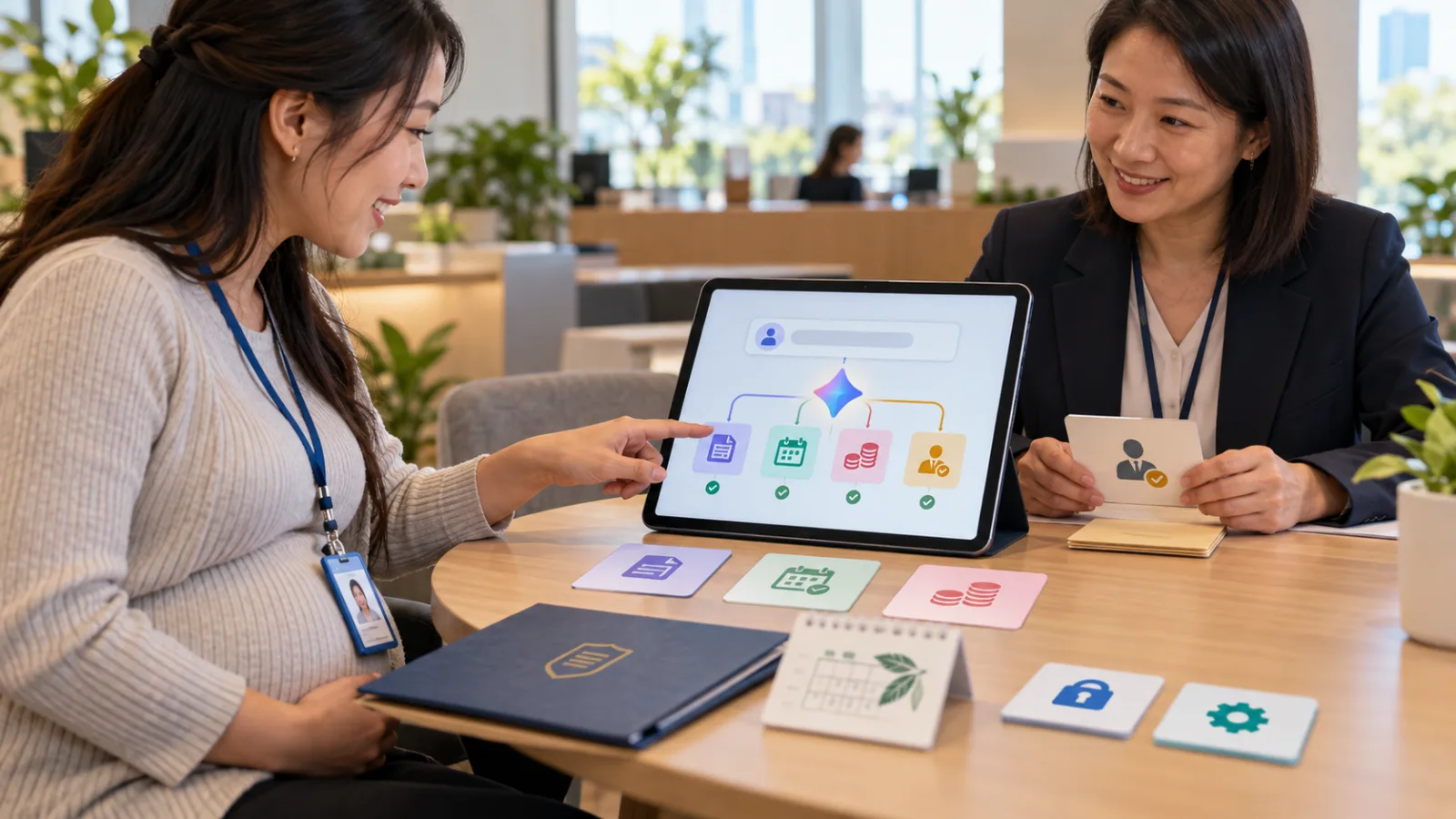
AI voice assistants used to mainly do one thing:
Chat.
You ask:
Will it rain today?
It answers.
You ask:
How should I reply to this email?
It answers.
You say:
Help me come up with three ideas.
It answers.
But as of August 26, Google has launched a new wave of upgrades for:
Gemini Live
moving this to the next level.
It’s not just about:
talking with AI.
It’s about:
getting real work done after you speak.
What’s new in Gemini Live this time?
The main productivity upgrade brings together several previously separate capabilities:
Spark.
Daily Brief.
Hands-free Gmail management.
Personal Intelligence.
This means you don’t have to decide up front:
"Should I open Gmail for this?"
"Or Calendar?"
"Or Spark?"
You just say what you want to do,
and Gemini decides which capability to use.
The first big change you’ll notice: ask directly what’s on your agenda today
For example, while brushing your teeth,
making coffee,
or getting ready to leave,
you can simply tell Gemini Live:
What's my daily brief?
Gemini will pull together important info from:
Gmail
and
Google Calendar,
and present it as a
spoken Daily Brief.
No need to open your inbox,
check your calendar,
and manually combine the two.
Daily Brief doesn’t just answer “what’s on my schedule today”
It answers:
What should I actually pay attention to today?
For example:
10 AM: client meeting.
Afternoon: report deadline.
From your emails:
notification about a school event.
From your calendar:
an evening family appointment.
Previously, these four pieces were separate.
Now AI can summarize them into one spoken briefing.
This adds a layer beyond typical calendar voice queries
Traditional voice assistants can answer:
What do I have at 3 PM today?
and return a single calendar event.
Gemini Live aims to connect different contexts
to form your
whole day.
This is an important distinction.
Second new feature: handle Gmail entirely by voice
Google has integrated:
Hands-free Inbox Management.
You can ask things like:
Any new emails today?
Or:
Did the school send any important notices?
Gemini can:
search,
summarize,
star,
archive,
and even delete emails.
This marks voice AI’s shift from "reading emails" to "managing inbox"
For example, when you’re:
driving,
cooking,
organizing items,
or repairing things,
your hands may be occupied and unable to use your phone.
Now you can ask:
Which client emails did I get this morning?
Gemini organizes them,
and then you say:
Mark that supplier delay notification.
This goes beyond simple Q&A.
It’s about taking
action.
Actions require more caution
For example:
If you search emails and get wrong results,
you can ask again.
If summaries are off,
you can refer back to the original email.
But deleting emails is a real system change.
So at first, it’s better to start with:
searching,
summarizing,
and starring emails,
rather than instantly deleting a bunch on day one.
Third feature: Spark turns one sentence into multi-step tasks
One of the biggest changes is Gemini Live’s integration of:
Spark.
Google positions Spark not as a one-off answer tool,
but as a way to execute
longer, more complex tasks
across Google Docs,
Sheets,
Drive,
and Web,
over days or even weeks.
Simple example: capturing random ideas while walking
Before, you might:
record a voice memo on your phone,
then forget to organize it later,
or convert the voice to a large block of text you have to manually structure.
Now you can talk continuously to Gemini Live:
for example:
I want to create a new course.
The first part will teach AI basics.
The second part covers workflows.
There should also be hands-on practice.
I don’t have the sequence fully figured out yet...
You can say whatever comes to mind,
and Gemini passes this "brain dump" to Spark,
which organizes it into a structured outline in Google Docs.
This is where voice AI really shines
Speaking and writing are different.
When speaking, people tend to:
jump around,
add details,
rephrase,
and suddenly think of something else.
If AI only creates a transcript,
you might end up with a very accurate but
messy document.
The real value is:
turning spoken language into structured work.
Use case for solo entrepreneurs
While walking, you can say:
I have three article ideas today.
The first is about...
The second relates to a client case...
The third isn’t fully developed yet...
Please organize this into a content plan,
keeping just the problem,
target audience,
main solution,
and missing data for each.
If Spark puts this into Docs,
when you sit at your desk,
you won’t have to start from scratch,
but can jump straight to reviewing.
Fourth feature: Spark can handle longer-running tasks
Google emphasizes Spark’s ability to manage:
long-running,
scheduled tasks
that span days or weeks.
This is very different from typical chats.
Typical chat is:
You ask.
AI answers.
Done.
Spark is more like:
you assign
a persistent task.
For example, as Google’s official example:
family maintenance:
weekly meal planning.
Then generate
a shopping list based on recipes saved in Docs.
This means you might have fewer "I’ll just forget what I said" tasks
For instance:
Review the three competitors I’m researching every week.
Or:
Organize this project idea and then create a next-step checklist.
Previously, voice AI tended to stop at
momentary conversations.
Google now wants
voice to become the entry point for building workflows.
But Spark isn't available to every Gemini Live user
Google clearly states:
Spark requires Google AI Pro or a higher-tier plan.
If you open free Gemini Live and don’t see Spark,
don’t assume it’s a glitch.
It depends on:
plan,
account,
and rollout stage.
Daily Brief also has plan restrictions
Google says:
Daily Brief requires Google AI Plus or higher.
This means Gemini Live itself
and
new productivity features
don’t come with the same level of access.
Keep this in mind before using.
Fifth feature: Personal Intelligence remembers your work context
Gemini Live now uses:
Personal Intelligence.
When users connect relevant apps,
it can leverage:
past Gemini conversations,
Gmail,
Google Photos,
Google Search,
YouTube,
and other contexts
to provide more personalized answers.
For example, you can ask:
What was the name of that restaurant we went to during our trip to New York last year?
It might pull together:
previous chats
and app context
to reconstruct the answer.
This is very different from requesting:
"Recommend me restaurants in New York."
One leverages
web knowledge,
the other
your personal data.
So Gemini Live is moving from voice assistant to personal work context
Before, you had to explain every time:
who you are,
what you’re doing,
and what project it is.
Personal Intelligence aims to let AI not have to start from scratch each time.
This makes voice more valuable,
because the biggest hassle with voice is:
you don’t want to spend five minutes explaining the background every time.
Sixth feature: it decides which tool to use on its own
Google emphasizes:
users don’t need to know in advance:
which tasks require Spark,
which need Daily Brief,
or which just require Inbox Search.
You can keep using one continuous voice conversation.
For example, a morning workflow:
Ask:
What’s on my schedule today?
Gemini:
provides the Daily Brief.
Then:
The recent event invitations—help me organize the dates.
Next:
Create a Family Calendar event including commute time.
Gemini then passes more complex tasks to Spark.
The key here is:
You don’t have to switch apps repeatedly.
What’s the difference between yesterday’s Ask Gemini and today’s Gemini Live?
They’re often mistaken as the same,
but the entry points differ.
Ask Gemini in Google Chat
better suits when:
you’re already at your desk,
working in Google Chat,
looking for project emails,
Drive files,
calendar events,
and work context.
It’s more like a
workspace assistant.
Gemini Live
better suits when:
you don’t want to type,
your hands are busy,
you’re walking,
commuting,
organizing physically,
or doing on-site work.
You start with
voice first.
Even for email checking, the context is very different
Ask Gemini:
You’re at your desk typing,
asking:
What were last week’s changes to Project Alpha?
Gemini Live:
You’re in the car heading to a client site,
asking:
Did that client send any emails this morning?
One is a stationary work scenario,
the other is mobile.
So don’t just think of Gemini Live as "more natural voice chat"
The real focus is:
Voice → Context → Action.
These three connect.
A very practical scenario: five minutes before opening a store
Suppose you run a
small studio,
and in the morning you’re
opening the door,
organizing stock,
and wiping tables,
with both hands busy.
You can simply say:
Give me today’s Daily Brief.
Then ask:
Any customer cancellations today?
Next:
Mark that delayed supplier notice.
Then say:
I have an idea for an afternoon promotion.
Help me draft three post outlines and save them to Docs.
The entire process:
requires no typing.
Another ideal use case: fieldwork
such as:
repairs,
photography,
sales,
events,
construction,
or deliveries.
Many jobs don’t happen
at a desk all day.
Traditional generative AI has one natural problem for these people:
typing prompts is inconvenient.
If voice AI truly starts to:
operate apps,
organize work,
and create follow-up tasks,
these workers may finally
adopt it extensively.
Seventh thing to note: Gemini Live is more than just a frontend
For truly complex tasks,
not everything is done by Live itself.
It delegates work
to Spark.
This is like a
front-desk assistant.
You talk to one person,
but behind the scenes,
different tasks are handled by different systems.
This could be how AI agents finally become mainstream
Regular users don’t want to learn about:
MCPs,
agent frameworks,
tool calling,
or workflow engines.
You just want to say:
Handle this for me.
The system figures out
where to look,
which tools to use,
and whether the work needs continued running.
This is
a consumer-grade agent
that might actually go mainstream.
But since "one sentence can do more," don’t give it too much control on day one
For example, don’t say immediately:
Clean up my entire inbox.
Because "clean"
is very subjective.
AI might think:
emails older than three months
are useless.
You might think:
those are important records.
A better first step is:
Tell me which emails over 30 days old,
not starred,
and likely marketing notifications
exist.
Just list them first,
don’t delete.
Observe how Gemini categorizes.
Then add:
archiving.
And finally, when confident,
move to deletion.
Voice especially tends to be too vague
When typing, you might:
write a full prompt.
But when speaking, it often becomes:
Handle this for me.
You decide.
Delete useless emails.
This is more dangerous for
actionable AI
than regular chatbots.
Therefore, voice agents need more "stopping points"
For example:
Can search, summarize, and organize.
But before deleting, sending, or creating calendar events,
tell me what you plan to do.
This isn’t an official Google mandate,
but it’s useful advice for any
voice agent.
Eighth feature behind the scenes: Gemini 3.5 Transcribe
Google also announced Gemini 3.5 Transcribe,
a new speech-to-text model.
It doesn’t just convert speech to text word-for-word.
Google highlights its ability to handle:
corrections mid-speech,
filler words,
background noise,
proper nouns,
multiple languages,
and multiple speakers.
Because real speech works like this:
Tomorrow is Tuesday...
No wait,
Wednesday at 3 PM meet Jason...
Traditional speech recognition might transcribe everything faithfully.
The new smart transcription tries to understand
the intended final meaning.
This is important for voice agents.
Because mistakes get amplified in action
If it’s just a transcript,
and Wednesday is misheard as Tuesday,
you can correct it yourself.
But if AI creates a calendar event from that,
the error becomes:
not just a text mistake,
but an actual action.
So as voice AI gets better at doing work,
accurate speech recognition becomes
even more crucial.
Google says Gemini 3.5 Transcribe supports over 85 languages
It also supports:
real-time streaming,
pre-recorded audio,
speaker attribution,
word-level timestamps,
and custom vocabularies.
Developers can now use it via the
Gemini API.
This means Google is not just building the Gemini Live app,
but also providing foundational voice AI capabilities
to other developers.
But everyday users don’t need to dig into the API now
If you just want to try Gemini Live,
just do these three steps:
Step 1: Confirm Connected Apps
Google suggests first going to Gemini’s
Personal Intelligence settings,
and selecting which apps to connect.
Without access to
Gmail,
Calendar,
and other contexts,
many productivity features won’t work well.
Step 2: Open Live and start with small tasks
For example, ask:
What’s today’s Daily Brief?
Or:
What emails should I watch for this morning?
Check if its data gathering meets your expectations first.
Step 3: Try a genuinely convenient voice task
Such as:
brain dumping ideas while walking,
sorting your inbox,
or preparing your day brief before heading out.
If typing is faster,
there’s no need to force voice.
The real value lies in the use case, not the number of features
Gemini Live can do many things now,
but not everything is best done via voice.
For example,
careful proofreading of legal contracts,
complex financial modeling,
or reviewing code
may still be better done looking at a screen.
Voice is best when your hands are busy but your mind can talk
For example:
commuting,
cooking,
organizing products,
store checks,
repairs,
walking,
exercising,
or on-site jobs.
These times were previously hard to use AI,
but now you can handle some
low-risk digital tasks
during these gaps.
This is where Gemini Live could truly change work
Not by making
desk workers type 10% faster,
but by turning
times when you couldn’t use prompts at all
into
moments of collaboration with AI.
This is a completely different source of efficiency.
But don’t turn every spare moment into work
That’s worth remembering, too.
If voice AI lets you work while walking,
driving,
or eating breakfast,
you might end up with no free time at all.
Making AI entry easier
doesn’t mean every minute
should be spent
being productive.
The real value lies in
your own choice
about when to use those pockets of time.
Best way to test Gemini Live first thing
If your account has the features,
try just one thing tomorrow morning:
Don’t open Gmail.
Don’t open Calendar first.
Just open Gemini Live and ask:
What's my daily brief?
Then check three things:
Are any important events missing?
Is the email summary accurate?
Is it really faster than opening two apps yourself?
If yes,
then this tool really starts
to save you time.
Second test: voice brain dump
Say while walking:
I’m going to casually talk through a new project idea now.
Don’t give suggestions yet.
After I finish,
help me organize it into:
goals,
audience,
planned actions,
missing information,
and next steps.
Then have
Spark
organize suitable content into
Docs.
This makes better use of
voice’s strengths than simply asking for ideas.
This also highlights the biggest difference from August 2’s GPT-Live
When SasaDaily introduced GPT-Live back then,
the focus was on AI voice becoming:
more instantaneous,
able to listen continuously,
accept interruptions,
translate in real-time,
and delegate complex problems to stronger models.
Today, Gemini Live goes one step further:
voice now connects directly to personal data and actionable work.
The next wave of AI voice competition
won’t be about
who sounds most natural,
but about
can you get work done after speaking?
One phrase to remember today
The most important thing about Gemini Live’s upgrade is not:
better AI chat,
but that voice becomes:
the gateway to operating AI work systems.
You can:
check email by voice,
hear your day’s schedule by voice,
organize ideas by voice,
and delegate longer tasks
to Spark.
But when voice AI starts to:
delete emails,
schedule meetings,
and create tasks,
we also need to upgrade
our usage habits.
Start with low-risk tasks.
Actions affecting
data,
time,
and external commitments
should be double-checked.
A good voice AI
doesn’t make you work
all day long,
but lets you
reduce follow-up整理when you can’t easily use a keyboard.
This is how voice AI moves from toy to real work tool.
Today, take one step forward with AI.
Learn an AI skill every day.
Save time daily.
Improve yourself bit by bit.
SasaDaily, growing together with you.