No, it doesn’t.
This is a common misunderstanding.
You upload your teacher’s:
Lecture Slides.
PDFs.
Readings.
Your own Notes.
All into:
Adobe Acrobat Student Spaces.
Then ask it to:
Generate a Quiz.
After finishing, you notice:
All the questions relate to the materials.
It’s easy to think:
“If I master all these questions, my exam coverage should be almost complete, right?”
You can’t make that assumption.
Because:
“Questions come from materials”
is very different from:
“Questions fully cover the exam scope.”
The first difference: A quiz draws questions, not a full copy of the materials
Suppose the exam has:
8 important topics.
Student Spaces:
Generates a quiz with 10 questions.
Those 10 questions:
May all have a source.
And each question may accurately correspond to the materials.
But it’s still possible that:
4 of those questions focus on the same chapter.
Another important topic:
Does not appear at all.
This doesn’t necessarily mean:
The AI made a mistake.
It just means:
Limited question numbers cannot automatically equal full coverage.
For example, a chapter may have 30 concepts
AI might pick:
Main ones like:
Definition.
Comparison.
Cause.
Result.
to form questions.
But what the teacher really tests might be:
Exceptions.
Formula application conditions.
Charts.
Supplementary oral notes from class.
Two easily confused concepts.
These may not be included in:
The quiz you generated this time.
So “Not in the quiz” cannot be taken as “Don’t study it”
This is the most important point.
Student Spaces:
Not asking about a certain topic
only means:
That set of generated questions doesn’t cover it.
It does not mean:
The teacher won’t test it.
AI does not have:
The teacher’s authority to decide exam questions.
The second issue: AI only knows the sources you provide
Suppose the teacher announces:
Exam covers:
Chapters 3 to 5.
But you only upload:
Chapters 3 and 4.
Then Student Spaces:
Generates a very complete quiz.
You even:
Answer all correctly.
This only means:
You performed well on:
The materials currently uploaded.
Chapter 5:
was not included.
Of course, AI:
Cannot test you on that.
So the primary source of truth should always be the official exam scope
For example:
Syllabus.
Teacher announcements.
Exam guide.
Specified chapters.
Learning objectives.
Required readings.
These decide:
“What should I study?”
Student Spaces is better suited to answer:
“Within these materials, what am I still weak on?”
Keep these two roles separate.
The third often overlooked issue: Materials may be updated later, old quizzes won’t update automatically
Adobe reminds us:
Flashcards and Quizzes:
Use:
The sources available inside Student Space at the moment of generation.
If later:
The teacher adds another lecture.
You add a new reading.
Or:
Replace incorrect notes with updated ones.
Quizzes already generated:
Will not automatically regenerate.
This situation is very common
Monday:
Teacher uploads:
Lectures 1 to 4.
You create a quiz.
Wednesday:
Teacher supplements with:
Exam Review PDF.
Says it’s important.
You add it to Student Space.
If on Friday:
You’re still working from Monday’s old quiz,
You can’t assume:
It automatically includes content added on Wednesday.
Simple safer approach
When materials get a major update:
Regenerate your quiz.
Especially when:
Adding:
Exam scope.
Review sheets.
New chapters.
Teacher’s supplementary info.
All warrant:
Generating a new quiz.
Don’t treat:
Old quizzes as a dynamically synced question bank.
The fourth issue: Student Spaces can even create questions without using your materials first
Adobe offers two ways to create:
Flashcards or Quizzes.
The first:
Based on:
Materials uploaded into student space.
The second:
Directly provide a topic.
For example:
“Introductory Psychology.”
Then select:
Difficulty and number of questions.
At this point:
The tool can still generate quizzes.
So when you see:
Student Spaces Quiz,
Don’t automatically conclude:
“All questions are from the teacher’s materials.”
You need to know:
How you originally created it.
If you want to truly align with classroom content, confirm the sources first
For example, if the exam covers only:
The teacher’s PDF.
Reading A.
Reading B.
Make sure:
All those materials are fully uploaded in Student Space.
Then generate the quiz from:
That space.
Not by typing directly on the homepage:
“Make me psychology exam questions.”
Both types of questions:
Can be good,
but have different uses.
The fifth issue: Citation only proves a question has a source, not that the scope is complete
This is similar to what we discussed in August about:
Gemini Notebook.
When a quiz question shows:
A citation,
You can click back and find:
The relevant paragraph in the teacher’s PDF.
That’s good.
It proves:
That question:
Has supporting sources.
But it cannot prove:
That AI has turned all important content in the PDF into questions.
Citation answers the question:
“Where does this question come from?”
Not:
“What else hasn’t been asked?”
This is the limitation of source grounding
Source-grounded means:
Answers or questions are based on your data.
Not:
A coverage guarantee.
Not:
An exam guarantee.
And not:
Teacher-approved question bank.
So:
Having sources
Improves quality.
But don’t stretch it beyond what it can prove.
How to check if the quiz misses important topics?
It’s actually simple.
Take out:
The teacher’s official exam scope.
For example:
Chapter 4.
Chapter 5.
Chapter 6.
Learning objectives A, B, C, D.
Then simply ask:
“Does my quiz at least cover each official topic?”
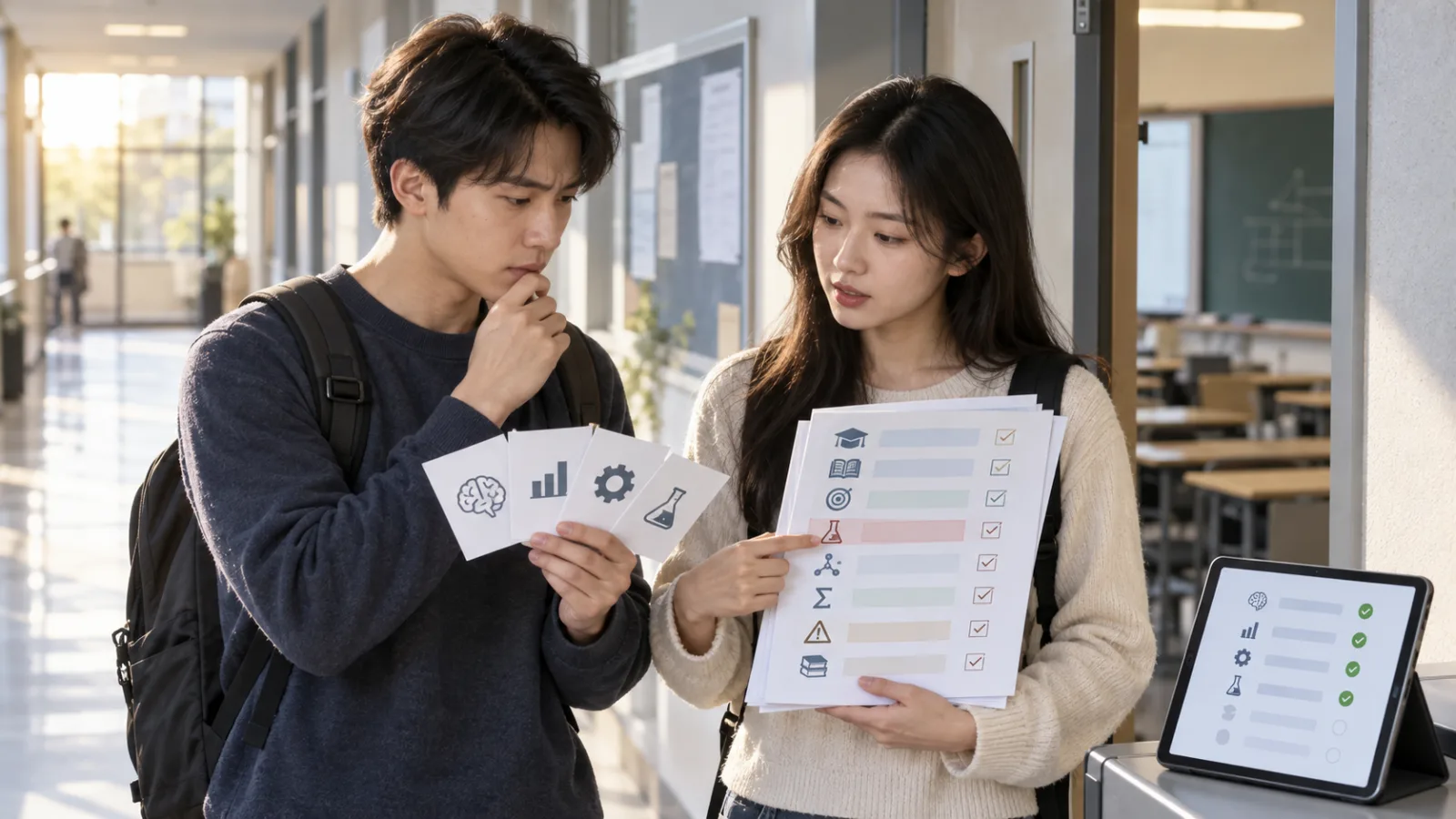
The easiest way is to make a coverage checklist
For example:
Chapter 4:
Yes.
Chapter 5:
Yes.
Chapter 6:
No.
Formula A:
Yes.
Exception B:
No.
Case Study C:
No.
At a glance:
You know:
Where your next quiz should fill in gaps.
No need to force AI to generate 100 questions at once
Some might think:
“Since I’m worried about missing topics, I’ll ask AI to generate 200 questions in one go.”
Not necessarily.
More questions might:
Increase coverage.
But at the same time,
You’ll see many:
Duplicate questions.
Too easy questions.
Marginal content.
You may spend a lot of time:
Going through questions,
Without necessarily getting closer to the teacher’s true learning goals.
A better way:
Is not:
Infinite question generation.
But rather:
Checking coverage with the official scope.
For example, if the teacher gave six learning objectives
You can require:
At least two questions per objective.
First question:
Checks basic understanding.
Second question:
Checks application.
This is more focused than:
“Generate 20 random questions for me.”
If the teacher says: “This diagram must be understood”
It should go into your checklist.
Even if the first quiz:
Doesn’t ask it at all.
Don’t skip it just because of that.
Teacher’s exam signals:
Have higher priority than AI’s question selection.
The same applies to things the teacher emphasizes verbally in class
Some teachers:
Have just one line on a slide,
But spend 15 minutes in class talking about it,
and say:
“This is very important.”
If your Student Space:
Only has PDFs,
But not:
Class notes covering that portion,
AI can’t know the teacher puts special emphasis there.
So include your notes too,
To give AI that context.
But notes themselves may have errors
So you need layered sources.
For example:
First layer:
Teacher’s official exam guide.
Second layer:
Teacher lectures.
Third layer:
Required readings.
Fourth layer:
Your own notes.
If your notes conflict with official materials,
Don’t treat both as equally reliable just because you wrote your notes.
Always return to:
The official source.
Student Spaces’ best role isn’t “predicting exam questions”
It’s:
Low-cost practice creation.
Before, students had to:
Make their own questions from materials.
Make their own flashcards.
Find their weak points.
Which was time-consuming.
Now AI:
Can speed this up.
But:
“What the teacher will test”
Still isn’t something Student Spaces can guarantee.
Most dangerous pre-exam thought: “AI didn’t generate it; it must be unimportant”
Never judge this way.
AI not generating a topic might be:
Limited question numbers.
Different focus.
Incomplete sources.
Quiz generated too early.
Or the model picked other concepts.
So:
Not appearing
Is not an
“Importance signal.”
The reverse applies too: Frequent AI questions don’t mean the teacher will test that
A concept might be:
Easy to make multiple-choice questions about.
So AI:
Asks about it repeatedly.
But the teacher might use:
Essay.
Calculation.
Case analysis.
Interpretation.
So quiz frequency:
Isn’t a reflection of the teacher’s question likelihood.
The question type itself affects your readiness
Suppose:
Student Spaces always generates multiple-choice questions.
You always:
Pick the correct answer.
But the real exam requires you to:
Explain.
Compare.
Calculate.
Draw.
Apply.
You may recognize the answers,
But can’t produce them yourself.
Therefore coverage:
Is not just about:
Topic coverage.
It must also consider:
The task type.
For example, the same concept can be tested on three levels
First level:
Do you recognize the definition?
Second level:
Can you explain it yourself?
Third level:
Can you apply it to new cases?
If the teacher tests at:
The third level,
But you only practice:
First-level multiple choice,
No matter how high your score,
You can’t assume:
You’re prepared.
This is why learning objectives matter more than question counts
The teacher wants you to:
Know what?
Remember?
Understand?
Compare?
Calculate?
Apply?
Evaluate?
These matters more than:
“I practiced 100 questions.”
They determine:
If you’re really ready.
Therefore, Student Spaces Quiz works best paired with a simple two-level check
First level:
Coverage.
Have you practiced every topic in the official scope?
Second level:
Mastery.
Do you truly know the material you practiced?
Student Spaces is especially good at:
Helping you with the second level.
But for the first level,
You should still refer back to:
The official exam scope.
If there’s no official exam guide?
Then refer to:
Syllabus.
Teacher-specified chapters.
Learning objectives.
Recent lectures.
Required reading.
And anything the teacher clearly said is exam scope.
Create your own basic:
Scope checklist.
Then let AI:
Help you create questions.
If even the teacher hasn’t specified scope?
Student Spaces:
Can help you:
Create practice questions from the current sources.
But understand this as:
“Practice questions based on existing materials.”
Not:
“Complete exam coverage.”
Because:
No data supports that conclusion.
Finally, before the exam, run a “reverse check”
Don’t ask AI:
“What other questions can you generate for me?”
Instead, use your official checklist to check item by item:
Can I explain this topic?
Can I calculate this formula without the answer?
Do I know when this exception applies?
Can I apply this case?
For topics you’re not comfortable with,
Generate focused quizzes again.
This turns Student Spaces from a “random question generator” into a true weak-point checker
Official scope:
Decides what to test.
AI quiz:
Tests you.
Wrong answers:
Decide where to review.
Citations:
Lead you back to the sources.
Then check again if you’ve covered those gaps.
The whole process becomes:
Complete.
So the answer today can be summed up in one sentence
Student Spaces Quiz:
Having source materials doesn’t mean full exam coverage.
The teacher’s:
Exam scope.
Syllabus.
Learning objectives.
Are the:
Source of truth.
AI quiz:
Helps find areas you’re weak in within the official scope.
Don’t let the order reverse.
Because AI answers best to:
“Where do I still need practice?”
Not to deciding:
“What won’t be tested this time?”
Today, take one step forward with AI.
Learn one AI skill every day.
Save a bit of time daily.
Improve a bit every day.
SasaDaily, growing with you.