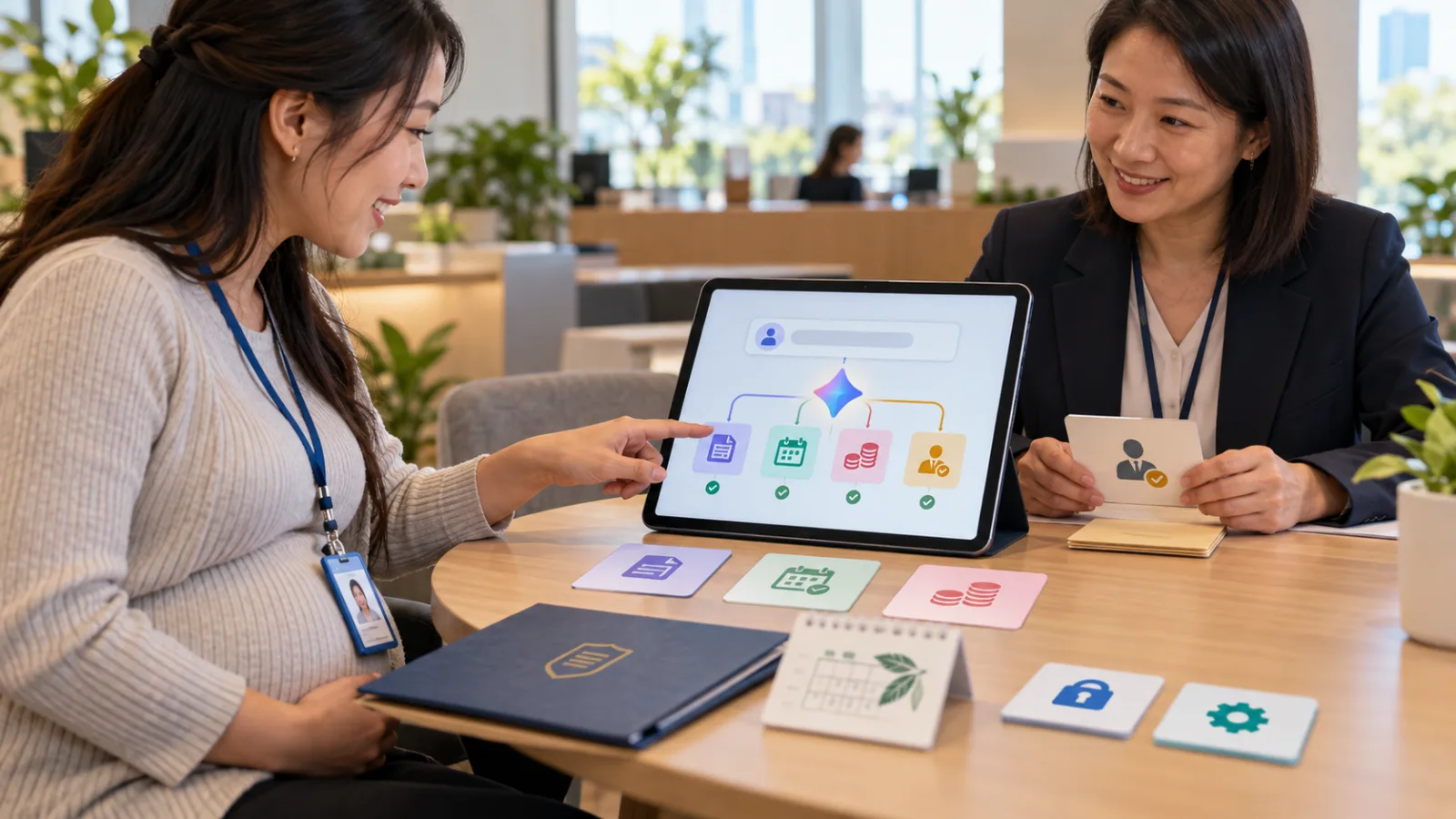
When enterprises adopt AI, they often face a very practical obstacle:
AI is very smart.
But the systems companies actually use every day:
Simply don’t have AI integration options.
It might be a CRM bought ten years ago.
An ERP accessible only via browser login.
A bunch of Excel sheets.
Internal back-end systems.
Legacy websites.
Sometimes, just:
Buttons.
Fields.
Dropdown menus.
No API.
No Connectors.
And no one wants to spend half a year:
Redeveloping the entire system.
The real breakthrough of GPT-6 Astra comes in here.
OpenAI has integrated it into:
ChatGPT Work.
Codex.
And also:
API.
Astra’s most important new capability is:
Directly using the software people already use on their computers.
The focus isn’t just “Astra answers harder questions”
GPT-6 Astra certainly improves in areas like:
Reasoning.
Coding.
Science.
Cybersecurity.
And many other benchmarks.
But if today’s topic is “Today's AI Tools,” the real interest for general workers is not:
By how much did its scores improve?
But rather:
It can genuinely perform work for you.
For example:
Open websites.
Search for data.
Fill fields.
Update CRM systems.
Organize calendars.
Operate spreadsheets.
Generate presentations.
Edit formatting in document editors.
Test websites.
Even install and test software.
This marks a completely different way of working than:
“AI tells you what to click next.”
The key new point: It can operate even without an API
Previously, to have AI genuinely perform actions in enterprise software:
That software had to provide an API.
For example:
CRM APIs.
ERP APIs.
Calendar APIs.
Database APIs.
If there was no formal interface,
the AI could only:
Tell people what steps to take.
OpenAI’s new positioning for Astra is that:
It can directly operate the software people use daily by:
Computer Use.
Meaning, it can:
View the screen.
Understand the user interface.
Press buttons.
Enter data.
Switch pages.
Even when that app doesn’t have a specially prepared AI API.
For example, a small company’s legacy CRM
Suppose your company has a customer management system built ten years ago.
Every day employees have to:
Log into a website.
Search for customers.
Open profiles.
Find phone fields.
Modify information.
Click Save.
This system lacks:
MCP.
Modern APIs.
AI integration.
Previously, automating this process might require engineers to:
Investigate internal interfaces.
Write scripts.
Maintain integrations.
Now Astra’s approach is to:
Simply operate the existing interface directly.
Like a new employee sitting down at the computer and learning:
Which buttons to press.
This is where Computer Use could truly transform enterprise AI
For many companies, the problem isn’t lack of AI.
It is that AI and the actual work systems:
Are separated by a wall.
Company data exists in:
Excel.
Legacy ERP systems.
Browser apps.
Desktop software.
Internal tools.
Vendor websites.
While AI remains in:
Chat windows.
Users still have to:
Ask the AI.
Copy results.
Switch to ERP.
Paste.
Switch back to AI.
Ask more.
Switch to Excel.
Paste again.
If AI can really operate these applications:
A lot of unnecessary copy/paste and app switching
could finally be eliminated.
OpenAI’s demos show real work, not just small test games
Official Astra Computer Use demos include:
Filling out online forms.
Updating CRM customer records.
Organizing calendars.
Online research.
Writing summaries into emails or document editors.
Analyzing scientific data.
Generating plots.
Building websites.
Running frontend QA.
Installing and testing software.
Troubleshooting based on screen output.
Also:
Spreadsheets.
Power BI.
Legal document formatting.
Design work.
All of which are tasks people actually perform daily.
Spreadsheets provide a great example
Suppose you’re a financial analyst.
Your typical workflow might be:
Open data.
Arrange columns.
Create formulas.
Make pivot tables.
Format cells.
Draw charts.
Only then start interpreting numbers.
If AI just advises:
“Build a pivot table,”
it doesn’t save much effort.
Astra’s Computer Use approach aims to:
Build.
Organize.
Format.
Actually perform these operations
so humans can truly spend time on:
What do these numbers mean?
OpenAI tested Computer Use using Excel competitions
Official demos showed Astra performing
Excel tasks similar to the Financial Modeling World Cup.
OpenAI states:
In these Computer Use demos, Astra works about four times faster
than the human champion of that competition.
Of course, this doesn’t mean:
Astra will be four times faster at any Excel task.
This was one specific test scenario.
But it shows Computer Use is no longer
a slow, experimental feature of clicking the mouse.
OpenAI is treating it as
a formal professional capability.
Astra now creates complete presentations, not just outlines
Previously, AI-made presentations usually were just:
What to write on slide one.
What to write on slide two.
What to write on slide three.
You still had to open PowerPoint yourself.
OpenAI emphasizes Astra can now:
Follow company voice.
Use templates.
Apply design standards.
In demos, Astra takes a few existing slide templates and completes:
New decks with tone and layout matching originals.
The real change is moving from:
“Help me think of presentation content.”
to:
“Help me create company-standard formatted presentations.”
Figma becomes an operable workspace
Early partner feedback from OpenAI includes Figma saying:
Astra understands design direction.
Can perform complex design operations directly in Figma.
Humans still control:
Creative direction.
This division is critical, because AI doesn’t necessarily have to:
Decide brand identity.
Instead, it can manage:
Large-scale execution.
Adjustments.
Moves.
Formatting.
Production.
Leaving human time for:
What the design should actually be.
Coding takes the next step: writing code and operating environments
Astra is integrated into:
Codex.
So coding workflow is not simply:
Generating a snippet of code.
It can:
View the repository.
Modify code.
Use the terminal.
Install software.
Run tests.
Operate browsers.
Perform frontend QA.
See errors and return to:
Code correction.
Meaning:
Code → Run → View output → Test → Fix
Becomes a continuous work cycle.
OpenAI used Astra to locate internal Codex performance bottlenecks
OpenAI shared an internal example where engineers used Astra to:
Identify a memory allocation bottleneck in a test environment.
After adjusting the allocator,
turn latency dropped by about 25 times,
at the cost of roughly 30% extra peak memory usage.
The takeaway isn’t that every company can boost performance 25x immediately,
but that Astra can do more than say,
“There might be a memory issue.”
It can actively participate in real debugging workflows.
The main challenge with Computer Use: it really can press buttons
If AI only answers questions,
wrong answers mean you just see an incorrect response.
When a Computer Use agent is wrong, it might actually:
Press the wrong button.
Fill in incorrect data.
Upload wrong files.
Delete wrong items.
Share the wrong information.
As capabilities grow,
safety measures must be strengthened accordingly.
OpenAI integrates enterprise controls
Admins can restrict Astra’s access to:
Which websites can be used.
Which desktop applications can be operated.
Manage upload/download controls.
Handle browsing history.
This is an important direction, because mature enterprise agents shouldn’t be:
“Given full control of the entire computer.”
More reasonably:
“Allowed to work only within defined boundaries.”
Example: Astra for administrative staff
You might allow it to operate:
CRM.
Calendar.
Internal knowledge bases.
While forbidding:
Payroll.
Banking.
Production administration.
Personal email.
This resembles actual employee permission management.
New employees don’t get admin rights for all systems just by joining.
AI agents shouldn’t be exceptions.
High-risk actions can require confirmation
ChatGPT Work and Codex support:
Confirmation Policies.
Meaning some consequential actions:
Must pause for human approval before executing.
For example:
Sending external emails.
Deleting data.
Sharing dashboards.
Or other company-defined high-risk operations.
This aligns completely with the “stop conditions” we’ve long emphasized.
As AI’s operational power expands,
defining where it must stop becomes even more important.
Automated review also included
OpenAI states:
The system can automatically review potentially:
Unsafe.
Unauthorized.
Tool calls.
This is like adding a layer of oversight besides only the executing agent’s self-judgment:
“Can I proceed?”
This compares similarly to the independent review approach we’ve discussed for Qodo.
The agent that acts.
And the mechanism that:
Checks if the action is allowed.
Best kept as separate layers.
OpenAI reports significant reduction in unintended outcomes but not zero risk
OpenAI’s internal Computer Use Safety Benchmark tested real enterprise risks such as:
Confidential information exposure.
Oversharing dashboards.
Data deletion.
They report Astra reduces unintended outcomes by 89%
compared to GPT-5.6 Sol.
This is clear progress, but:
89% reduction
does not mean:
Zero risk.
And this benchmark is internal to OpenAI.
The reasonable understanding should be that Computer Use is becoming more reliable,
not that systems should now give AI full system permissions.
The best Computer Use deployment isn’t “give it everything”
For example, a small company with 20 repetitive tasks a day should not start with:
“Handle all tasks at once.”
Pick one first, such as:
Update customer data in CRM after human approval.
Restrict it to:
Only operate CRM.
Only modify specified fields.
No deleting customers.
No sending emails.
Stop if customer not found.
Stop if data conflicts occur.
After completion:
Produce a change summary for human review.
This helps identify exactly where failures occur.
Once stable, add a second app
For example, after CRM updates, allow:
Calendar access.
Add follow-up reminders for customers.
Still disallow sending formal client emails.
This kind of:
Gradual permission expansion
is closer to real enterprise deployment.
OpenAI’s own take on the new Enterprise Control is:
Start with limited configuration.
Gradually enlarge access.
How do Astra and ChatGPT Work relate?
You can simply understand:
ChatGPT Work is the work environment.
Astra is the most powerful work engine inside it now.
ChatGPT Work can already:
Research.
Read documents.
Connect tools.
Produce documents and results.
Adding Astra:
The biggest enhancement is:
Computer Use.
That is, when encountering:
No API.
No Connector.
But a system people can operate,
AI begins to have a chance to work directly.
So today is not about reintroducing ChatGPT Work,
but:
The work it can do moves ahead significantly thanks to Astra’s operational ability.
And what about Codex?
Codex still focuses on:
Software engineering.
But since Astra combines:
Stronger coding.
Computer use.
Browsing.
Software testing.
It can deliver a more complete loop of:
Writing code.
Operating the environment.
Testing.
Reviewing results.
Making fixes.
OpenAI has also improved the Codex Harness.
In the Mind2Web Computer Use test, OpenAI says the new Astra+Codex combo completes work about:
1.9 times faster
than the current GPT-5.6 Sol Experience.
Keep in mind:
This is a benchmark,
not a guarantee that all coding tasks will be 1.9 times faster.
API pricing is not cheap-model pricing
OpenAI currently states the GPT-6 Astra API pricing starts at per million input tokens:
10 USD.
Output tokens:
50 USD.
Astra’s positioning is clear:
Not:
“Give it all simple work.”
But rather:
More complex, higher value work that saves lots of manual effort.
If the task is just:
Changing a sentence.
Summarizing one email.
You don’t necessarily need:
The strongest model.
The real metric is cost per task
This marks maturity in enterprise AI use.
Don’t just look at:
Token price.
Cheap models might:
Run a task five times.
Make many edits.
Repeatedly retry.
Taking 20 minutes total.
A more expensive model:
Finishes in one shot.
In 5 minutes.
The real comparison is:
Total cost to complete one task.
Not:
How many dollars you save per million tokens.
OpenAI also stresses Astra reduces:
Retries.
Steps.
Tokens.
So you must look at:
Useful work per dollar.
But even the strongest model can’t skip verification
Say Astra:
Opens CRM.
Updates data.
Creates calendar events.
Makes PPT presentations.
Then displays:
Completed.
This doesn’t mean:
Everything is correct.
You still need to check:
If the data is up to date.
If the modified areas are correct.
If any fields were wrongly changed.
If presentation numbers have sources.
If calendar time zones are accurate.
Especially for matters involving:
Money.
Permissions.
Official commitments.
Production.
Deletion.
External communication.
A human gatekeeper should remain.
Astra’s cybersecurity capabilities make “least privilege” even more critical
GPT-6 Astra is also OpenAI’s first model to reach a:
Critical Cybersecurity Capability
threshold.
This means Astra isn’t just better at:
General coding.
Given appropriate tools and environments,
it also has very strong vulnerability discovery abilities.
OpenAI restricts higher-level offensive cyber tasks in Astra, such as:
Creating Proof-of-Concept exploits for vulnerabilities.
This again reminds us:
The more capable it becomes,
Don’t just think:
“What can it do?”
But:
“How much privilege does it actually need?”
New Enterprise Plugins also launched
OpenAI simultaneously announced new:
ChatGPT Desktop Enterprise Plugins.
Initial ones include:
Oracle Analytics.
Power BI.
Navan.
Avalara.
This shows another path remains open.
The best enterprise AI may simultaneously have:
Official Plugins/Connectors.
And:
Computer Use.
Use structured APIs when available.
For no APIs, operate the interface.
This is more reasonable than everything relying on:
AI clicking the mouse.
So Computer Use does not replace APIs
This is important.
APIs are good because:
Data structure is clear.
Speed is fast.
Errors are easier to track.
Permissions are easier to control.
Large-scale operations are more stable.
Computer Use’s value is:
To cover the last mile APIs can’t reach.
Like:
Legacy systems.
Small vendor websites.
Backends accessible only via browser UI.
Temporary websites.
Applications humans must use manually daily.
These are probably Astra’s greatest value areas.
Practical imagination for regular office workers
Before, you might ask ChatGPT:
“Help me organize this data.”
Now it may become:
“Read this approved list and update matching customer contacts in CRM; don’t change uncertain entries and provide me a change summary for confirmation.”
Before:
“Help me schedule a meeting.”
Now:
“Find two common available times in these three calendars; don’t send invitations yet, just organize candidate times for me.”
Before:
“Check if this website has issues.”
Now:
“Open test site, complete the registration flow, check main mobile functions, screenshot any issues, prepare a QA report; do not touch production.”
This is what Computer Use means:
A truly understandable way to work.
If you get Astra for the first time, don’t test the riskiest tasks first
No need for:
Payments.
Data deletion.
Production environment changes.
Start with tasks that are:
Result-visible, non-destructive, small in scope.
For example:
Organize spreadsheet.
Prepare draft decks.
Test staging websites.
Look up information.
Make internal reports.
Once you know where Astra performs stably, where it stalls, and where it guesses, you can gradually expand usage.
GPT-6 Astra’s real novelty isn’t just “stronger model”
We’ve seen bigger models,
Higher benchmarks,
Longer context windows.
But for enterprises to truly use AI,
People still have to:
Copy answers.
Open legacy systems.
Paste data.
Then AI hasn’t truly entered
the work itself.
Astra wants to bridge this gap—from:
Knowing what to do,
to:
Being able to get it done inside the original software.
Without requiring:
Every company to rewrite its 20-year-old systems.
This may be
Computer Use’s greatest commercial value.
But it also magnifies another challenge:
AI used only to:
Advise.
Now it can:
Act.
So:
Where is it allowed to go?
What can it change?
Where must it stop?
These cannot wait until an incident occurs.
A truly mature AI agent:
Doesn’t get full access to the entire computer.
Instead,
It receives only the privileges needed to complete a specific task.
Today, improve a little with AI.
Learn one AI skill a day.
Save some time every day.
Gain a bit more capability daily.
SasaDaily grows with you.